Timers that don’t rush you
tick along is a small, calm timer app for people whom time tends to slip away from. Several timers at once, steps inside a timer, soft colors — and no productivity pressure.
Open tick alongFree · works in your browser · no sign-up
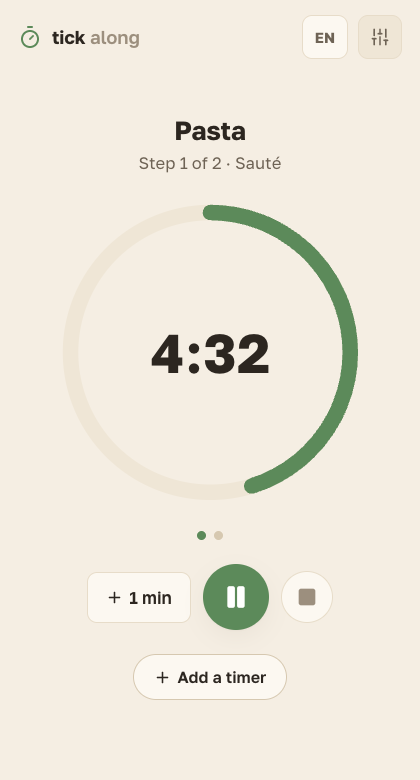
Made for people apps usually forget
tick along is made for:
- neurodivergent folks and everyone whose attention likes to wander;
- people with time blindness, when five minutes and an hour feel the same;
- anyone who wants to stay anonymous online — no account, no tracking, your timers stay with you.
And, of course, for everyone who just wants a cozy timer for everyday things.
What it can do
Several timers at once
Soup on the stove, laundry spinning, tea steeping — each gets its own ring, and they all run side by side.
Steps inside a timer
“Sauté for 10 minutes, then simmer for 20” is one timer with steps. It can advance on its own — or wait until you’re ready.
A library of your timers
Save the ones you use often, group them into categories, start them again in two taps.
Gentle endings
A soft sound and a notification. And if a step finished while you were away, the next one politely waits.
Your kind of cozy
Light and dark themes, three text sizes — and the whole app can switch to the OpenDyslexic font in one tap.
Works offline
Install it like an app — it keeps ticking without internet.
No account? No problem.
You can use tick along fully anonymously: don’t sign in, and your timers live only on your device. Nothing is sent anywhere.
Want the same timers on another computer? Sign in with a one-time email link — no password to remember. That’s the only thing an account is for.
If you stay anonymous, timers won’t follow you to another device — you’d start fresh there. That’s the trade-off, and it’s yours to choose.
Free — really
tick along is free to use. One day there may be an optional paid plan for people who want unlimited timers with steps and unlimited categories — but the app itself will stay free.
Easy on the senses — on purpose
Muted colors, no flashing red countdowns, nothing yelling at you. Pick the theme, text size and font that feel right. Palettes friendly to color blindness are on the roadmap.
If something is hard to use for you, please write: contact@tickalong.app. That kind of feedback matters most.
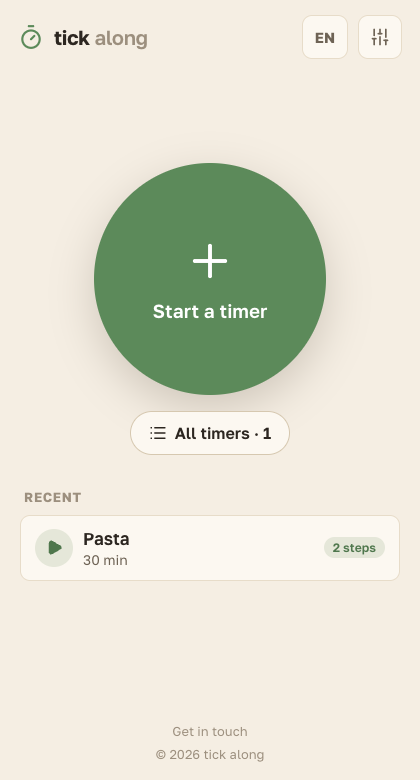
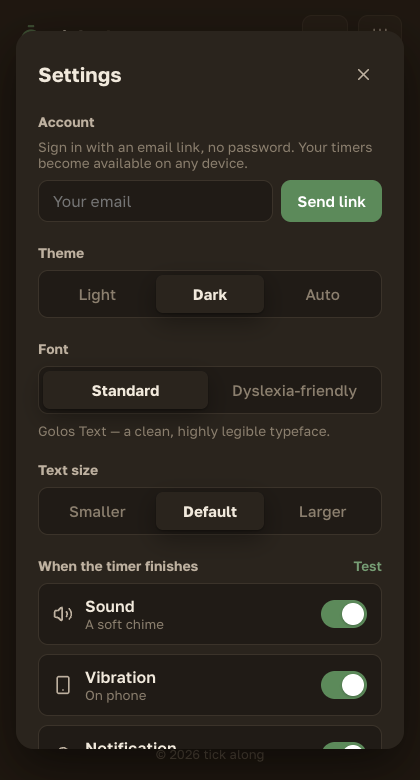
Mobile apps
Native apps for iOS and Android are coming later. For now, tick along runs in your browser.